I'd like to know about...
I'd like to know about...
ChangeMeter readings
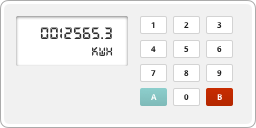
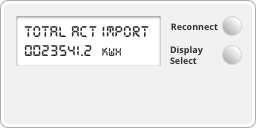
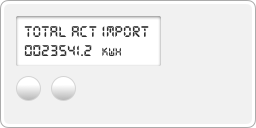
As each type of smart meter has its own way to take a reading, the best thing to do is press the buttons to scroll through the screens.
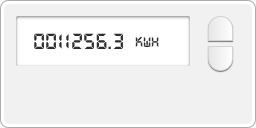
You're looking for a screen with a row numbers in front of the letters 'KWH'. This is your meter reading.
Once you've found the right screen, read the numbers from left to right. Ignore any zeroes at the beginning and any numbers after the decimal point.
If you pay two electricity rates (e.g. Economy 7), you might see both readings on the same screen – or you might have to scroll to another screen to get your second reading.
Back to all in
Meters and meter readings
Our Customer Service team is available Monday to Thursday, 8am–6pm, and Friday, 8am–4pm. Outside these hours, our IVR self-serve options and emergency support team are here to help if you've lost supply due to a meter fault. Calls to UK-wide numbers are included in any inclusive call plan you may have. If you don't have an inclusive call plan, calls are charged at a national rate. Please check with your service provider if you're unsure.